Applying for jobs can take a lot of time. Job seekers often spend hours updating their resumes, searching for vacancies, reading job descriptions, and writing cover letters. The challenge is that every application should feel personal, but writing a fresh cover letter for every job can become stressful and repetitive.
This is why a cover letter generator and a cover letter template are useful tools for modern job seekers. A cover letter template gives your application letter a professional structure, while a cover letter generator helps you create tailored content faster. When both are used together, they can help you submit better applications without starting from scratch every time.
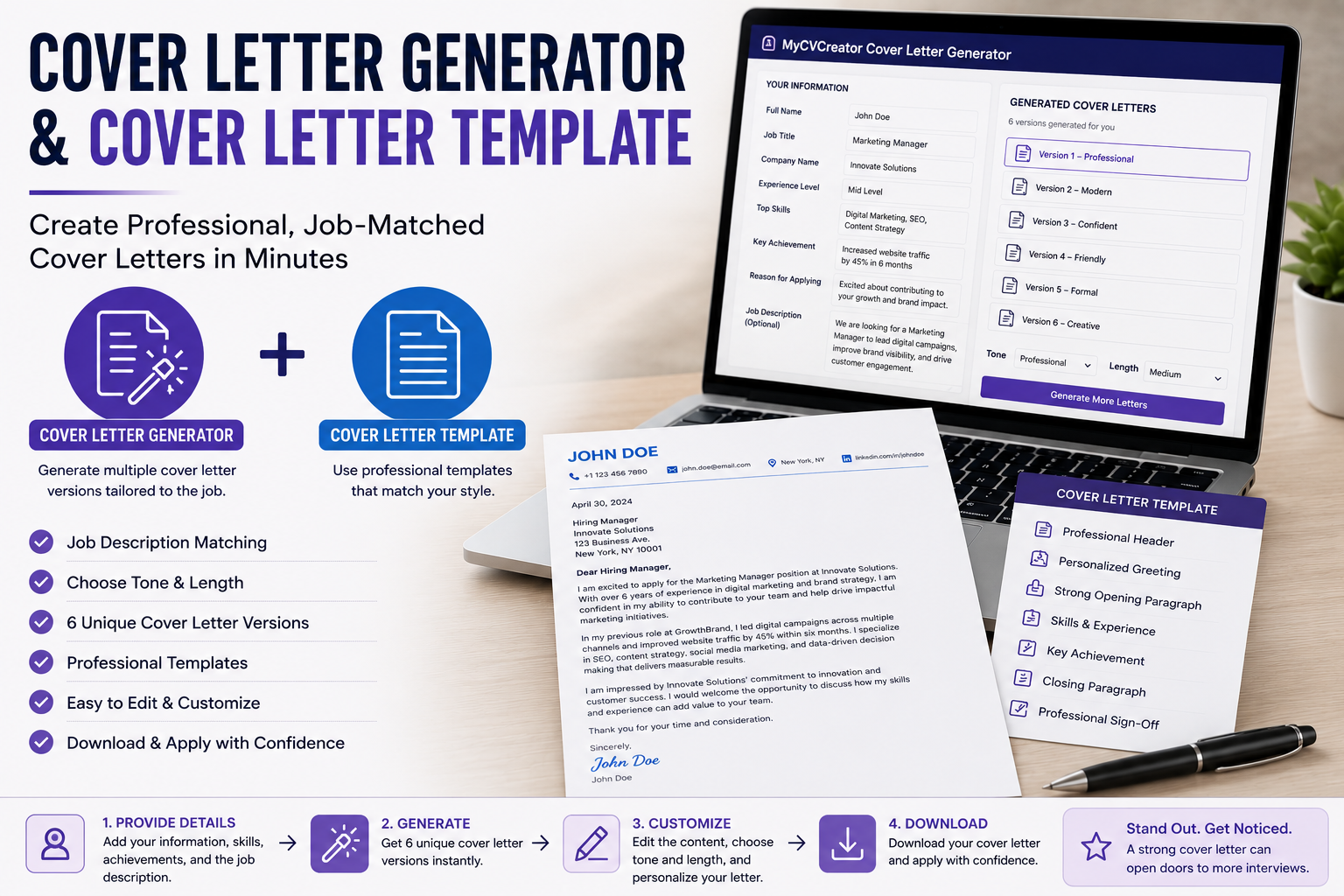
MyCVCreator offers a helpful Cover Letter Generator that allows job seekers to create professional, job-matched cover letter drafts quickly. It helps users turn their skills, experience, achievements, and job description into a strong letter that can be edited, customized, and used for job applications.
Why Cover Letters Are Still Important
Some job seekers believe that cover letters are no longer necessary. However, many employers still value them because they provide context that a resume cannot fully explain.
A resume shows your qualifications. A cover letter explains your motivation, interest, and fit for the role.
A strong cover letter can help you:
- Introduce yourself professionally
- Explain why you are interested in the job
- Connect your experience to the company’s needs
- Highlight your strongest skills
- Show personality and communication ability
- Explain career changes or employment gaps
- Encourage the employer to review your resume
Even when a cover letter is optional, submitting a good one can make your application feel more complete and thoughtful.
See also: How Technology Is Improving Customer Engagement
What Is a Cover Letter Generator?
A cover letter generator is an online tool that helps users create a professional cover letter based on the information they provide. Instead of writing everything manually, the user enters details such as the job title, company name, experience level, skills, achievements, and reason for applying.
The tool then produces a cover letter draft that can be reviewed and personalized.
A good cover letter generator helps with:
- Writing a strong opening
- Matching the letter to the job description
- Highlighting relevant skills
- Creating a professional tone
- Saving time
- Reducing writer’s block
- Producing multiple letter versions
- Making the application more focused
This is especially useful for job seekers applying to several jobs in a short period.
What Is a Cover Letter Template?
A cover letter template is a ready-made format that guides the structure of your letter. It helps you arrange your content in a professional order.
A typical cover letter template includes:
- Contact information
- Date
- Employer details
- Greeting
- Opening paragraph
- Skills and experience paragraph
- Achievement paragraph
- Closing paragraph
- Professional sign-off
The template helps make sure your letter is complete, organized, and easy to read.
Without a template, many job seekers write letters that are too long, too informal, poorly structured, or missing important details. A template prevents this by giving you a clear writing framework.
Why a Generator Alone Is Not Enough
A cover letter generator can produce a strong draft, but the final letter still needs your personal touch. Employers can often identify a letter that feels too generic or robotic.
That is why a cover letter template is also important. The template helps you review the structure and make sure the letter has the right flow. After generating the draft, you can use the template as a checklist to confirm that every important section is included.
The best process is simple:
Use the generator to create the first draft.
Use the template to organize and review it.
Edit the final version to make it personal and accurate.
This combination helps job seekers create letters that are fast, professional, and human.
Why Job Seekers Struggle With Cover Letters
Many job seekers do not struggle because they lack experience. They struggle because they do not know how to present their experience clearly.
Common cover letter problems include:
1. Not Knowing How to Start
The first paragraph is often the hardest part. Many people begin with weak phrases such as “I am writing to apply for the position.” While this is acceptable, it does not create a strong first impression.
A better opening should mention the job title, company name, and a clear reason why the applicant is a strong fit.
2. Repeating the Resume
A cover letter should not simply repeat everything in your resume. Instead, it should explain why your experience matters for the role.
3. Sounding Too Generic
A generic letter could be sent to any company. A strong letter should feel written for a specific role.
4. Writing Too Much
Hiring managers are busy. A cover letter should be clear and focused, not unnecessarily long.
5. Not Showing Results
Many applicants list duties but forget to mention achievements. Employers want to see value, not just responsibilities.
A cover letter generator can help solve these problems by providing a better starting point.
How MyCVCreator’s Cover Letter Generator Makes Writing Easier
MyCVCreator’s Cover Letter Generator helps job seekers create job-ready drafts using key application details. Users can include information such as their target role, company, experience, skills, achievements, and job description.
This helps the tool create a letter that is more relevant than a general template. It can generate different versions, allowing users to choose the tone and style that best fits their application.
The tool is useful because it helps job seekers:
- Create cover letters faster
- Avoid blank-page stress
- Match their letter with the job description
- Highlight their strongest value
- Use professional wording
- Improve application quality
- Prepare multiple drafts for different roles
Instead of writing from zero, users can start with a clear draft and improve it before sending.
How to Use a Cover Letter Template Correctly
A cover letter template should guide your writing, not limit it. The best templates are simple, clean, and flexible.
Here is how to use one properly:
Start With Your Contact Details
Place your name, phone number, email address, and location at the top. You may also include a LinkedIn profile or personal website if relevant.
Use a Professional Greeting
Address the hiring manager by name when possible. If you do not know the name, use “Dear Hiring Manager.”
Write a Strong Opening
Mention the job title and company name. Then briefly explain why you are interested and why you are a good fit.
Show Relevant Skills
Use the body of the letter to connect your skills to the job requirements. Focus on what matters most for the role.
Highlight One Strong Achievement
A cover letter becomes more powerful when it includes proof. Mention one result, success, project, or measurable achievement.
End With Confidence
Thank the employer and express interest in an interview or further discussion.
Example of a Simple Cover Letter Structure
Here is a simple structure job seekers can follow:
Dear Hiring Manager,
I am excited to apply for the [Job Title] position at [Company Name]. With experience in [relevant field or skill area], I believe I can contribute to your team by supporting [specific company or role need].
In my previous role as [Previous Job Title], I developed strong skills in [Skill 1], [Skill 2], and [Skill 3]. I have experience handling [relevant responsibility], which closely matches the requirements of this position.
One of my key achievements was [specific achievement]. This helped [result or impact]. I am confident that my background and work ethic would allow me to bring value to your organization.
Thank you for considering my application. I would welcome the opportunity to discuss how my skills and experience can support your team.
Sincerely,
[Your Name]
This template is simple, direct, and easy to customize.
How to Make a Generated Cover Letter Sound Personal
A cover letter generator gives you a strong draft, but you should still edit it before sending. Personalization is what makes the letter stand out.
Here are ways to improve a generated cover letter:
Add the Company Name
Always mention the company name correctly. This makes the letter feel intentional.
Include the Exact Job Title
Use the exact job title from the job posting. This helps your letter feel specific.
Mention a Real Achievement
Add one achievement that proves your value. This could be a percentage, number, project, award, or improvement.
Example:
“Improved customer response time by 30% through better ticket tracking and follow-up communication.”
Match the Job Description
Review the job description and include relevant skills naturally. Do not copy the description word for word. Use it as a guide.
Adjust the Tone
Some jobs require a formal tone. Others may allow a more friendly and confident tone. Choose the tone that fits the company and role.
Remove Anything That Does Not Apply
Never send a generated letter without checking accuracy. Remove details that do not match your real experience.
Cover Letter Generator for Career Changers
A cover letter is especially useful for career changers. When your resume does not perfectly match the job title, your cover letter can explain your transferable skills.
For example, someone moving from teaching to customer success can highlight communication, problem-solving, training, organization, and relationship management.
A cover letter generator can help career changers present their background in a way that connects with the new role.
Cover Letter Generator for Fresh Graduates
Fresh graduates may not have much work experience, but they can still write strong cover letters. They can highlight education, internships, projects, volunteer work, leadership roles, certifications, and soft skills.
A generator can help turn these details into a professional letter that sounds confident and organized.
Cover Letter Generator for Experienced Professionals
Experienced professionals often need to summarize years of experience clearly. A cover letter generator can help them focus on leadership, achievements, industry expertise, and career impact without writing a letter that is too long.
For senior roles, the letter should show strategic value, not just daily responsibilities.
Mistakes to Avoid When Using a Cover Letter Generator
A cover letter generator is helpful, but job seekers should avoid these mistakes:
Sending the Draft Without Editing
Always review and personalize the final letter.
Using Incorrect Company Details
Check the company name, job title, and hiring manager name carefully.
Making the Letter Too Long
Keep the letter focused and easy to read.
Adding Skills You Do Not Have
Be honest. Only include skills and achievements that match your real experience.
Using the Same Letter for Every Job
Use each generated draft as a starting point, then tailor it to the job.
Why MyCVCreator Is a Good Choice for Job Seekers
MyCVCreator helps job seekers build stronger career documents with tools designed for modern applications. The platform supports users with resume creation, cover letter generation, ATS resume checking, resume templates, and interview preparation.
The Cover Letter Generator is useful for applicants who want to write faster, avoid generic letters, and create more job-focused applications. Whether you are a fresh graduate, career changer, mid-level professional, or experienced applicant, the tool can help you create a better first draft and improve it before applying.
Final Thoughts
A cover letter generator and a cover letter template are powerful tools for job seekers who want to apply faster and smarter. The template gives your letter a professional structure, while the generator helps you create tailored content based on your skills, experience, and target job.
In a competitive job market, a strong cover letter can help you stand out. It gives employers a better understanding of your motivation, value, and fit for the role.
Before sending your next application, use MyCVCreator’s Cover Letter Generator to create a professional draft. Then personalize it with your own details, align it with the job description, and submit a cover letter that supports your resume and strengthens your application.
Author Bio
MyCVCreator is an online career platform that helps job seekers create professional resumes, cover letters, resume websites, and job application documents. With tools such as a Cover Letter Generator, resume builder, ATS Resume Checker, resume templates, and interview preparation resources, MyCVCreator helps candidates build stronger applications and prepare for better career opportunities.
